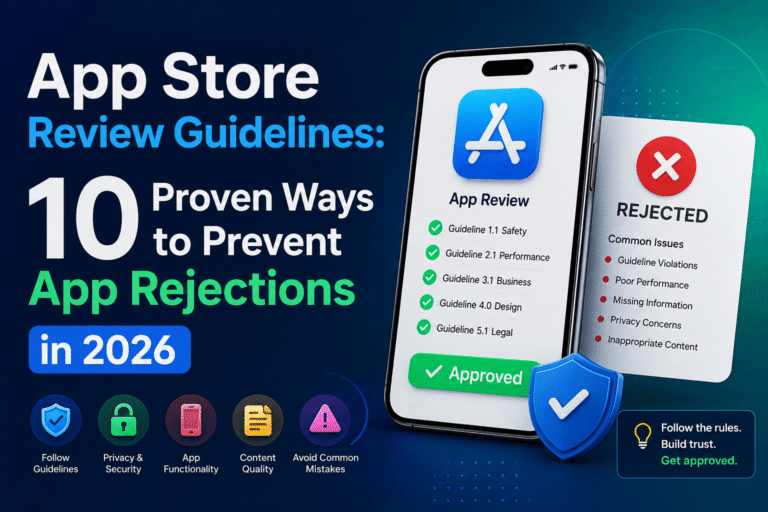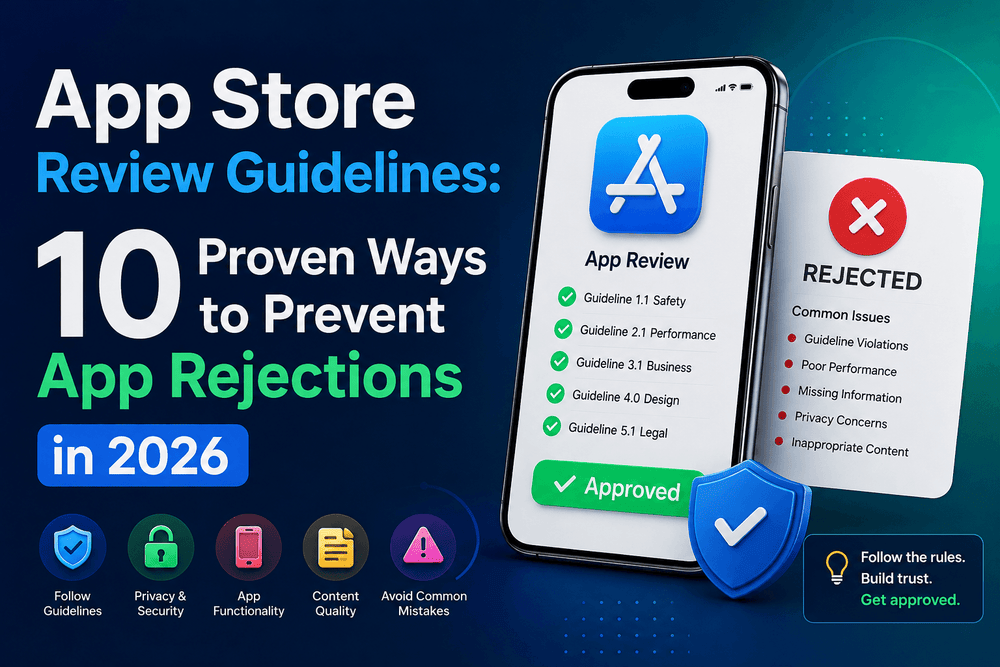
App Store Review Guidelines 10 Proven Ways to Prevent App Rejections in 2026
App Store Review Guidelines
Following the App Store Review Guidelines is one of the most important steps when preparing an iPhone, iPad, or other Apple-platform app for publication. A technically excellent application can still be rejected if its functionality, metadata, privacy practices, payments, content, or user experience does not meet Apple’s requirements.
The good news is that many common rejection problems can be prevented before submission.
Apple’s official guidelines organize review requirements into areas including Safety, Performance, Business, Design, and Legal. Apple also emphasizes that developers are responsible for the behavior of their apps and the third-party services, analytics tools, advertising networks, and SDKs they integrate.
In this guide, we will examine 10 practical ways to work with the App Store Review Guidelines, identify common problems, and create a stronger submission process.
Important: Apple updates its review policies over time. The recommendations below are based on Apple’s official documentation available in August 2026, but developers should always check the latest official guidelines before submitting an app.
Understand the App Store Review Guidelines
The first step toward avoiding rejection is understanding what Apple actually reviews.
The App Store Review Guidelines are divided into major categories covering safety, performance, business practices, design, and legal requirements. These categories are broad because Apple evaluates much more than whether an application launches successfully.
For example, a developer should consider:
- Does the app provide a useful and functional experience?
- Does it work reliably?
- Is its content appropriate for the intended audience?
- Does it handle personal information responsibly?
- Are payments and subscriptions implemented correctly?
- Is the App Store metadata accurate?
- Does the app respect Apple’s platform and design expectations?
- Are third-party SDKs behaving appropriately?
Apple explicitly states that developers are responsible for making sure their apps comply with the guidelines, including integrated advertising networks, analytics services, and third-party SDKs.
That means compliance should be part of development rather than something you check the night before submission.
Practical tip: Create a review checklist at the beginning of your project and update it whenever your application gains a new feature.
1. Test Your App Before Submission
One of the simplest ways to reduce avoidable problems is thorough testing.
Apple recommends testing applications for crashes and bugs before submission.
A reviewer should be able to open the application, navigate through its major features, and complete the intended user journey without encountering obvious technical problems.
Before submitting, test:
- App launch and onboarding
- Login and account creation
- Password recovery
- Navigation
- Buttons and interactive controls
- Network-dependent features
- Push notifications
- In-app purchases
- Subscription flows
- Deep links
- Offline and poor-network behavior
- Permission requests
- Account deletion if applicable
- Settings and profile features
- External integrations
Do not test only on the development device.
Use multiple supported devices and operating-system versions where practical. Different screen sizes, network conditions, permissions, and device capabilities can reveal issues that are invisible during development.
A crash that occurs only under a particular condition can still create a poor review experience.
2. Make Your App Metadata Accurate
App Store metadata is part of your submission, not merely marketing material.
Your app’s name, description, screenshots, previews, age rating information, and other information should accurately represent what users will receive.
Apple specifically recommends ensuring that app information and metadata are complete and accurate before submission.
Avoid making claims that your application cannot support.
For example, if your application offers five major features, screenshots should not make users believe that it provides ten. Similarly, avoid describing unavailable features as if they already exist.
Your screenshots should reflect the current version of the application.
A good metadata review asks:
Does every important marketing claim match the actual application?
If the answer is no, update the metadata before submitting.
This is also good SEO and conversion practice because accurate information creates better expectations for potential users.
3. Provide Complete Review Access
One of the most overlooked parts of preparing an app for review is making sure Apple can actually test it.
If your application requires an account, Apple says developers should provide an active demo account or a fully featured demo mode, along with any other resources required for review.
Imagine that your application has an excellent dashboard, but the reviewer cannot get past the login screen.
From the reviewer’s perspective, an inaccessible feature cannot be evaluated.
Before submission, verify:
- Demo credentials work.
- The account has appropriate permissions.
- The account does not expire during review.
- Required verification steps are explained.
- Backend services are active.
- Test data is available.
- Hardware requirements are documented.
- QR codes or similar resources are provided when necessary.
Apple also recommends keeping backend services live and accessible during review.
This is especially important for applications that depend heavily on APIs, cloud databases, authentication systems, or external services.
4. Check Privacy and Data Practices
Privacy is a major part of Apple’s platform ecosystem.
Your application should clearly understand what information it collects, why it collects it, and which third-party services receive or process that information.
Do not assume that a third-party SDK removes your responsibility.
Apple’s App Store Review Guidelines make developers responsible for the behavior of integrated services, including analytics and advertising tools.
Before submission, review every SDK in your project.
Ask:
- What data does this SDK collect?
- Is the SDK still necessary?
- Does it communicate with external servers?
- Does it request permissions?
- Is its configuration consistent with your privacy disclosures?
- Are outdated dependencies still included?
This review is particularly important after adding advertising, analytics, authentication, crash reporting, or social-login libraries.
A smaller dependency footprint can also make maintenance and troubleshooting easier.
5. Review Payments and In-App Purchases
If your application sells digital goods, subscriptions, premium functionality, or other paid digital experiences, payment implementation deserves special attention.
Do not treat monetization as an afterthought.
Before submitting a paid feature, test the entire purchase journey:
- Display the product correctly.
- Show the appropriate price and information.
- Start the purchase process.
- Handle successful purchases.
- Handle cancelled purchases.
- Handle failed transactions.
- Restore eligible purchases where appropriate.
- Confirm that premium functionality becomes available correctly.
- Test subscription-related states.
Apple’s review process covers not only app versions but also content such as In-App Purchases and subscription offers.
Your App Review notes should also explain non-obvious features and in-app purchases when necessary. Apple explicitly recommends providing detailed explanations for these areas.
A reviewer should not have to guess how your monetization system works.
6. Avoid Misleading App Store Information
A common mistake is focusing so heavily on app functionality that developers forget about presentation.
Your application should not attempt to manipulate users or the App Store ecosystem.
Apple’s guidelines warn against attempts to cheat the review or discovery system, including manipulating ratings, App Store discovery, or copying another developer’s work.
Avoid practices such as:
- Misleading screenshots
- Fake functionality in promotional images
- Keyword stuffing
- False claims
- Artificial rating manipulation
- Copying another application’s identity
- Misrepresenting unavailable features
- Creating metadata that does not match the actual experience
Honest marketing is usually better for both compliance and long-term growth.
A user who installs an app based on an accurate description is more likely to understand its purpose and continue using it.
7. Check Third-Party SDKs and Services
Modern applications rarely operate entirely on first-party code.
Developers often integrate:
- Analytics platforms
- Advertising SDKs
- Authentication providers
- Payment services
- Crash reporting tools
- Social login systems
- Cloud services
- Mapping services
- Customer-support tools
However, adding a dependency also introduces another component that can affect compliance.
Apple states that developers are responsible for ensuring their apps comply with the guidelines, including third-party SDKs and services.
Therefore, perform a dependency audit before submission.
Remove unused SDKs and update important dependencies.
You should also test the production configuration rather than assuming that the development configuration behaves identically.
A development environment may contain test credentials, mock responses, disabled security controls, or incomplete services.
Your review build should represent the actual product.
8. Prepare a Professional App Review Submission
A successful submission is not simply a matter of clicking Submit for Review.
Apple’s App Store Connect workflow requires developers to provide the necessary metadata and select an appropriate build before submitting an app version.
Before submission, verify the following:
- Correct version number
- Correct build number
- Correct screenshots
- Accurate description
- Appropriate app category
- Correct age-rating information
- Privacy information
- Pricing and availability
- Working demo credentials
- Review notes
- Required supporting information
- Correct production backend
- Appropriate build selected
Apple notes that you can change the selected build until the version is submitted for review.
This gives developers an opportunity to catch a mistake before the final submission.
Take advantage of it.
9. Use App Review Notes Effectively
App Review notes can be extremely useful when your application’s functionality is not immediately obvious.
Suppose your application requires a specific sequence to access a feature. Or perhaps a particular feature is available only after completing an onboarding step.
Do not make the reviewer discover the process through trial and error.
Explain it clearly.
A useful review note might identify:
- Demo account credentials
- How to access the main feature
- Where an unusual feature is located
- How to test an in-app purchase
- Required hardware
- How to reproduce a particular workflow
- Information about special permissions
Apple recommends detailed explanations for non-obvious features and in-app purchases in App Review notes.
The goal is not to write a long essay.
The goal is to remove unnecessary ambiguity.
10. Know What to Do After a Rejection
Even with careful preparation, rejection can happen.
A rejection does not necessarily mean that your entire application is defective.
The first thing to do is read Apple’s review message carefully.
Identify:
- The guideline referenced by Apple.
- The specific feature or behavior involved.
- Whether the issue affects the application, metadata, or a particular submission item.
- What needs to be changed.
- Whether clarification is possible.
Apple provides a communication channel through App Store Connect for responding to App Review. The company also provides an appeal process if you disagree with the review outcome.
Avoid responding emotionally.
Instead, provide concise technical information and explain exactly what you changed.
If the problem is legitimate, fix it.
If you believe the reviewer misunderstood a feature, explain the workflow clearly and provide the relevant information requested by the review process.
Apple’s App Store Connect documentation also identifies statuses such as Unresolved Issues and Rejected, and explains that rejected items can be edited and resubmitted.
Common App Store Rejection Problems to Check
Although every application is different, developers can reduce risk by reviewing several recurring areas before submission.
Technical problems
Check for:
- Crashes
- Broken navigation
- Empty screens
- API failures
- Unresponsive buttons
- Incomplete features
- Backend downtime
Metadata problems
Check for:
- Inaccurate descriptions
- Outdated screenshots
- Unsupported claims
- Missing information
- Confusing feature descriptions
Account problems
Check for:
- Invalid demo credentials
- Expired accounts
- Missing access instructions
- Broken authentication
- Required services that are unavailable
Monetization problems
Check for:
- Broken purchase flows
- Incorrect product configuration
- Subscription problems
- Missing explanations
- Premium features that cannot be tested
Privacy problems
Check for:
- Unnecessary permissions
- Unknown SDK behavior
- Inconsistent privacy information
- Unused data-collection libraries
- Poorly documented data flows
A Practical App Store Review Checklist
Use the following checklist before submitting your next application.
- Read the current App Store Review Guidelines.
- Test the application on supported devices.
- Check for crashes and obvious bugs.
- Verify that all major features work.
- Confirm that production backend services are online.
- Test login and account creation.
- Prepare working demo credentials when required.
- Verify screenshots match the current application.
- Review the app description for accuracy.
- Check privacy-related information.
- Audit third-party SDKs.
- Test advertising and analytics integrations.
- Test in-app purchases and subscriptions.
- Prepare clear App Review notes.
- Confirm the correct build is selected.
- Review the final metadata before submission.
- Keep documentation for unusual features.
- Read Apple’s response carefully if the app is rejected.
Where to Find the Official App Store Review Guidelines
The safest source for compliance information is Apple’s own documentation.
The official App Review Guidelines were updated on June 8, 2026, and Apple describes them as a living document that can change as new situations and technologies appear.
Developers can also consult Apple’s App Review resources for information about preparing and submitting applications.
For the technical submission process, Apple’s App Store Connect documentation explains how to upload builds and submit applications for review.
Internal Linking Opportunities
To strengthen the SEO structure of your website, add relevant internal links from this article to related technical content.
Recommended internal anchor texts include:
- React Native Performance Optimization
- Setting Up Push Notifications for iOS and Android in React Native
- How to Secure User Data on Android
- Building Your First React Native App with Expo
- App Store Optimization Strategies
- How to Prepare an Android App for Google Play
Use only links to relevant articles that already exist on your website. Avoid forcing unrelated internal links simply to increase the number of links.
Image and Media Suggestions
Featured Image
Suggested concept: A developer preparing an iOS app for submission, with a checklist showing testing, privacy, metadata, payments, and App Review.
Alt Text: App Store Review Guidelines checklist to prevent app rejection
Supporting Image
Suggested concept: App Store Connect submission workflow showing build selection, metadata verification, and review preparation.
Alt Text: App Store Review Guidelines and App Store Connect submission checklist
Video Suggestion
A short video explaining the App Store submission workflow can improve user engagement. Ideally, demonstrate how developers review metadata, select a build, provide review information, and submit an application through App Store Connect.
Avoid using videos simply for decoration. The media should help readers understand the submission process.
How to Build a Better Pre-Submission Process
The best way to work with the App Store Review Guidelines is to treat compliance as a continuous development task.
Do not wait until the application is finished.
When a new feature is designed, ask whether it introduces new privacy, payment, content, account, or platform requirements.
When a new SDK is installed, review what the SDK does.
When a new subscription is created, test the complete purchase experience.
When metadata changes, compare it against the actual application.
This approach is much more efficient than discovering problems after submitting the application.
A simple internal process can make a significant difference:
Development → Testing → Compliance Review → Metadata Review → App Review Preparation → Submission → Monitoring
This turns App Store submission from a last-minute event into a predictable part of your development workflow.
Conclusion
Understanding the App Store Review Guidelines is essential for developers who want to publish reliable applications and minimize avoidable rejection problems.
The most effective strategy is not to search for shortcuts around Apple’s review process. Instead, build the application with compliance in mind from the beginning.
Test thoroughly, keep metadata accurate, provide complete review access, audit third-party SDKs, verify privacy practices, test monetization, and prepare clear App Review notes.
Apple’s own documentation emphasizes testing, accurate metadata, accessible review accounts, active backend services, and detailed explanations for non-obvious features.
Finally, remember that the App Store Review Guidelines are updated over time. A checklist that worked for an older version of the platform may not cover newer requirements.
Before every major submission, return to Apple’s official documentation and verify the latest requirements.
That small investment of time can prevent unnecessary delays and give your application a much smoother path through App Review.
About The Author