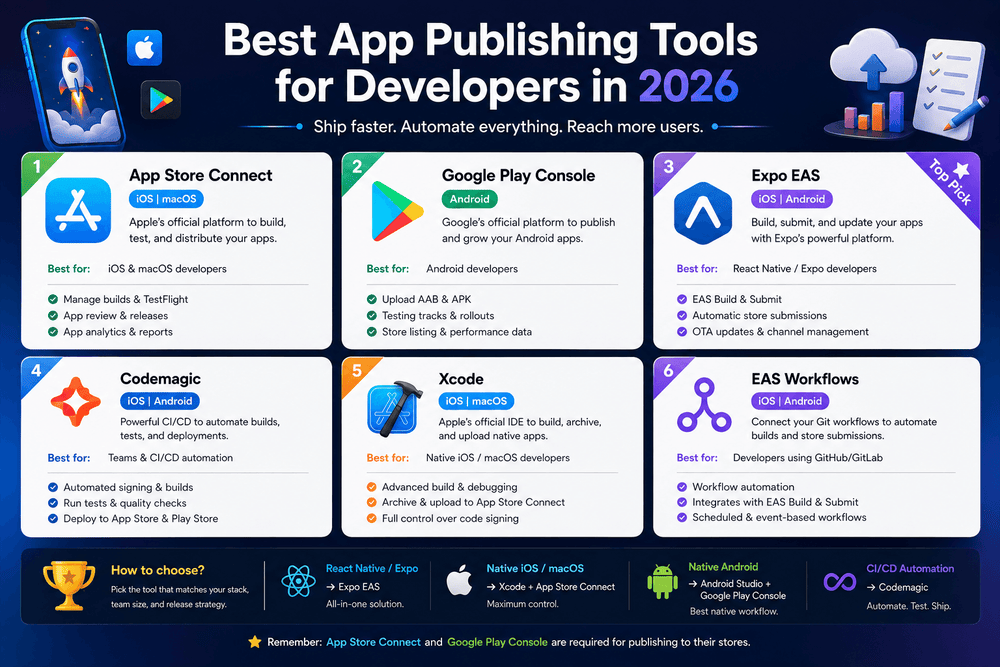
Best App Publishing Tools for Developers in 2026Best App Publishing Tools for Developers in 2026
Best App Publishing
Publishing a mobile application is no longer just a matter of uploading a finished build to an app store. Modern developers need to manage testing, release preparation, app metadata, versioning, quality assurance, distribution, and post-release monitoring. Choosing the right online retail market tools can also help developers understand how their apps fit into the broader digital commerce ecosystem, especially when applications support shopping, payments, subscriptions, or digital services.
For developers, startups, and small software teams, the challenge is choosing tools that actually improve the publishing workflow rather than adding unnecessary complexity. Fortunately, today’s ecosystem provides solutions for almost every stage of an app’s lifecycle.
In this guide, we will examine the most useful app publishing tools for 2026, explain what each category does, and show how developers can build a practical release workflow for Android and iOS.
Why App Publishing Tools Matter in 2026
A successful app release requires more than good code. A technically impressive application can still struggle if it has poor testing, confusing store information, performance problems, or an unreliable release process.
The right tools can help developers:
- Test applications before public release.
- Distribute preview versions to trusted testers.
- Automate repetitive release tasks.
- Monitor crashes and stability.
- Manage app versions and builds.
- Prepare store listings.
- Coordinate Android and iOS releases.
- Collect useful feedback before launch.
Moreover, mobile applications increasingly interact with the online retail market, payment platforms, cloud services, analytics systems, and other digital products. That makes a reliable publishing workflow especially important for apps that depend on transactions or customer accounts.
Best App Publishing Tools for Developers
There is no single tool that is perfect for every project. Instead, developers should choose a combination based on their technology stack, team size, testing requirements, and release frequency.
1. Google Play Console
For Android developers, Google Play Console is one of the most important tools in the publishing process.
It provides a central environment for preparing Android applications for distribution through Google Play. Developers can manage app releases, store information, testing tracks, and other publishing-related tasks.
A good workflow starts well before the final production release. Developers should use testing and staged releases to identify problems before making an application broadly available.
The main advantages include:
- Android app release management.
- Testing and pre-release distribution.
- Store listing management.
- App performance and quality information.
- Release and version management.
- Tools for understanding app performance.
Because Google Play requirements can change, developers should always consult Google’s current documentation before submitting a new application or major update.
2. Apple App Store Connect
iOS developers rely heavily on App Store Connect for managing applications distributed through Apple’s App Store.
Apple’s official documentation explains that developers need to provide the required metadata and select the correct build before submitting an app version for review. The submission workflow then moves through Apple’s review process.
App Store Connect is useful for:
- Managing app versions.
- Uploading and selecting builds.
- Preparing store metadata.
- Submitting applications for review.
- Managing releases.
- Monitoring information related to published applications.
The important lesson is to prepare the entire submission before clicking the final review and submission options. A missing asset or incorrect build can delay the release.
3. Firebase App Distribution
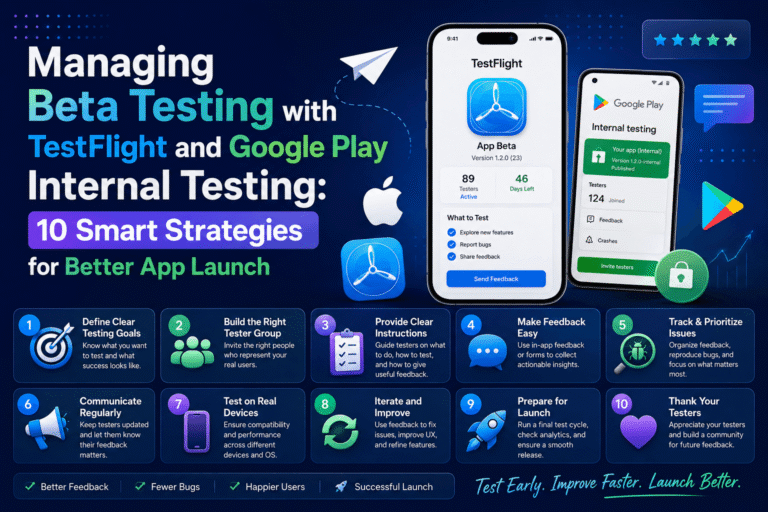
Testing is one of the most valuable stages of app publishing, and Firebase App Distribution provides a practical way to distribute pre-release builds to testers.
According to Google’s Firebase documentation, App Distribution supports both iOS and Android and allows teams to distribute pre-release versions through the Firebase console, CLI, fastlane, Gradle, and other workflows.
This makes it particularly useful for teams that want feedback before production.
A typical workflow looks like this:
- Build a new version of the application.
- Upload the build to App Distribution.
- Organize testers into appropriate groups.
- Send the release to testers.
- Collect feedback.
- Fix important problems.
- Distribute an improved build.
- Repeat the process before production.
Firebase also provides tester management features, making it easier to organize groups as projects grow.
Why Pre-Release Testing Matters
Releasing an application without sufficient testing can create avoidable problems. Testers may discover navigation issues, crashes, confusing interfaces, device-specific bugs, or unexpected behavior.
Finding those problems before public release is usually much easier than dealing with them after thousands of users have installed the application.
4. Firebase Crashlytics
Crash monitoring should be part of the publishing workflow, not an afterthought.
Crashlytics can help developers identify application stability problems and understand which issues deserve attention after a release. Firebase also integrates Crashlytics with App Distribution, allowing developers to obtain stability information about pre-release builds.
This is particularly valuable when an application runs on many different devices and operating-system versions.
Instead of relying exclusively on user complaints, developers can use crash information to investigate problems systematically.
5. Fastlane
Fastlane is useful when developers want to automate repetitive parts of mobile release workflows.
For example, a team may need to perform similar tasks every time a new version is prepared. Automation can reduce manual work and make releases more consistent.
Fastlane can be incorporated into workflows involving:
- Build automation.
- Test execution.
- Beta distribution.
- Release preparation.
- Store deployment.
- Continuous integration.
Firebase documentation also describes Fastlane as one of the available ways to distribute pre-release Android and iOS builds through App Distribution.
For teams releasing frequently, automation can become a major productivity advantage.
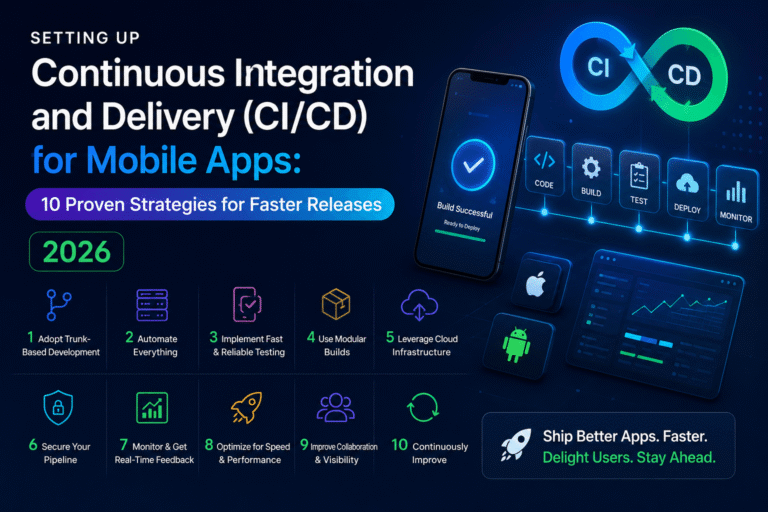
6. Continuous Integration and Continuous Delivery Tools
CI/CD systems can connect source code, automated tests, builds, and release processes.
Instead of manually performing every step, a development team can create a pipeline that automatically:
- Detects code changes.
- Builds the application.
- Runs automated tests.
- Produces a release artifact.
- Sends the build to testers.
- Stops the workflow if important tests fail.
This approach becomes increasingly valuable as applications and teams grow.
However, automation should not replace human review completely. A successful pipeline should combine automated quality checks with meaningful manual testing.
How to Build an Efficient App Publishing Workflow
Using several tools is not enough. The tools need to work together logically.
Step 1: Establish Version Control
Keep application source code in a reliable version-control system.
Every release should have a clear version number and identifiable source state. This makes it easier to determine exactly what changed between releases.
Step 2: Create Separate Build Environments
Where practical, maintain development, testing, and production environments.
This reduces the possibility of accidentally connecting a test build to production services or exposing unfinished features to real customers.
Step 3: Automate Repetitive Tasks
Look for tasks that developers repeat every week or every release.
Examples include:
- Running standard tests.
- Building release variants.
- Uploading test builds.
- Generating release notes.
- Distributing builds to testers.
Automating predictable tasks gives developers more time to focus on product quality.
Step 4: Test on Real Devices
Emulators and simulators are useful, but they cannot reproduce every real-world condition.
Testing on physical devices can reveal problems related to:
- Screen sizes.
- Memory limitations.
- Network conditions.
- Battery behavior.
- Device-specific operating-system versions.
- Permissions.
- Hardware features.
A strong testing strategy combines automated testing, virtual devices, and representative physical devices.
Using AI in App Testing and Publishing
AI is becoming another useful component of modern development workflows.
Firebase’s current documentation describes an App Testing agent that uses Gemini in Firebase to understand natural-language test goals, navigate Android applications, simulate interactions, and provide test results. The feature is currently described as a preview release.
This illustrates an important trend: developers are increasingly able to describe testing goals in a more natural way instead of manually creating every possible interaction.
However, AI-powered testing should be treated as an additional layer of quality assurance rather than a complete replacement for human testers.
Human review remains valuable because real users can notice usability problems, unclear wording, confusing workflows, and product decisions that automated systems may not fully understand.
Common App Publishing Mistakes to Avoid
Even experienced developers can make avoidable publishing mistakes.
1. Publishing Without Enough Testing
A rushed launch can create unnecessary support problems.
Test the important user journeys before release, particularly login, registration, payments, navigation, data synchronization, and other core functionality.
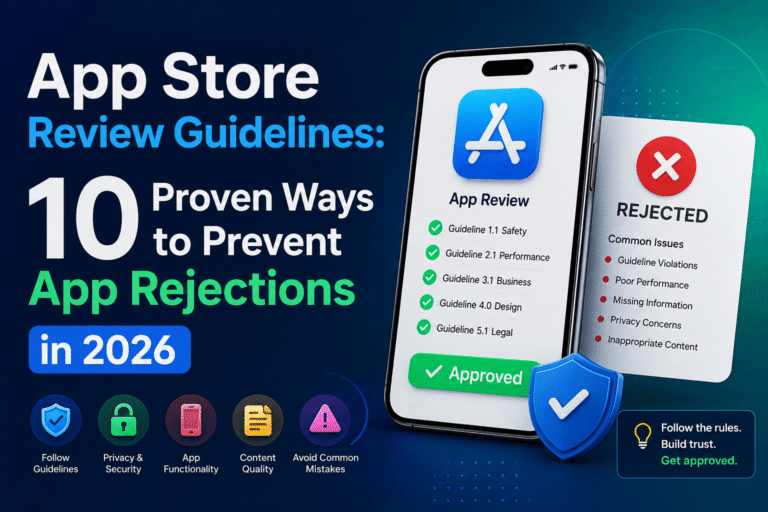
2. Ignoring Store Requirements
Google Play and Apple’s App Store have specific requirements. Developers should review official documentation before every major submission because requirements and policies can change.
3. Using Production Data During Testing
Testing with real customer information creates unnecessary privacy and security risks.
Use controlled test accounts and test data whenever possible.
4. Relying Only on Automated Tests
Automated tests are powerful, but they do not guarantee a good user experience.
Combine automation with manual testing and feedback from real testers.
5. Forgetting Release Notes
Clear release notes help testers and users understand what changed.
A useful release note should briefly explain important improvements, fixes, and new features.
6. Adding Development Components to Production Builds
Development-only libraries and testing functionality should be reviewed carefully before production release. Firebase specifically warns developers to ensure that certain App Distribution testing components are not accidentally included in a Google Play production variant.
This is a good example of why release configuration deserves its own final review.
Warning Tips Before Publishing Your App
Before submitting an application, pay particular attention to the following:
- Do not rush the final release. A few additional testing cycles can prevent serious problems.
- Do not assume one device represents all users. Test across representative devices and operating-system versions.
- Do not ignore privacy considerations. Review the information your application collects and how it is handled.
- Do not copy misleading store descriptions. App listings should accurately represent the product.
- Do not rely entirely on AI-generated code or testing. Review important implementation decisions yourself.
- Do not mix test and production configurations. Keep environments and credentials clearly separated.
- Do not skip post-release monitoring. A successful launch is the beginning of the next quality cycle.
Common Questions About App Publishing Tools
What are the best app publishing tools in 2026?
The best tools depend on the platform and workflow. Google Play Console is essential for Android publishing, App Store Connect is central to iOS distribution, while Firebase App Distribution is useful for pre-release testing. Automation tools such as Fastlane can help streamline repetitive release tasks.
What tool should I use to test an app before publishing?
Firebase App Distribution is a practical option for distributing Android and iOS pre-release builds to trusted testers. It supports tester management and integrates with different development workflows.
Do I need automated testing before publishing a mobile app?
Automated testing is strongly recommended, especially for applications with frequent updates. It can detect regressions quickly, but it should be combined with manual testing and real-device testing.
Can AI help with mobile app testing?
Yes. AI-assisted testing is becoming more capable. For example, Firebase currently offers an App Testing agent in preview that can use natural-language test goals to navigate and test Android applications.
How can I make app releases faster?
Start by standardizing your build process, automating repetitive tasks, using CI/CD where appropriate, distributing pre-release builds to testers, and maintaining a clear release checklist. The goal is not simply to release faster, but to release reliably and consistently.
Final Thoughts
The mobile app publishing process has evolved into a complete lifecycle that includes development, testing, distribution, review, monitoring, and continuous improvement. In 2026, developers have access to a wide range of tools that can make this process more efficient and predictable.
Google Play Console and App Store Connect remain essential publishing platforms, while Firebase App Distribution can simplify pre-release testing across Android and iOS. Automation with tools such as Fastlane and CI/CD pipelines can further reduce repetitive work.
The most effective strategy is not to collect as many tools as possible. Instead, build a workflow in which every tool has a clear purpose. Test early, automate predictable tasks, review store requirements carefully, protect user data, and monitor the application after launch.
Ultimately, successful app publishing is about more than getting an application into a store. It is about creating a repeatable process that helps developers deliver stable, secure, useful, and trustworthy applications to users.
Sources
- Google Firebase documentation on App Distribution and pre-release testing.
- Firebase documentation on the App Testing agent.
- Apple Developer documentation on submitting apps through App Store Connect.
- Firebase documentation on tester management and release workflows.
About The Author