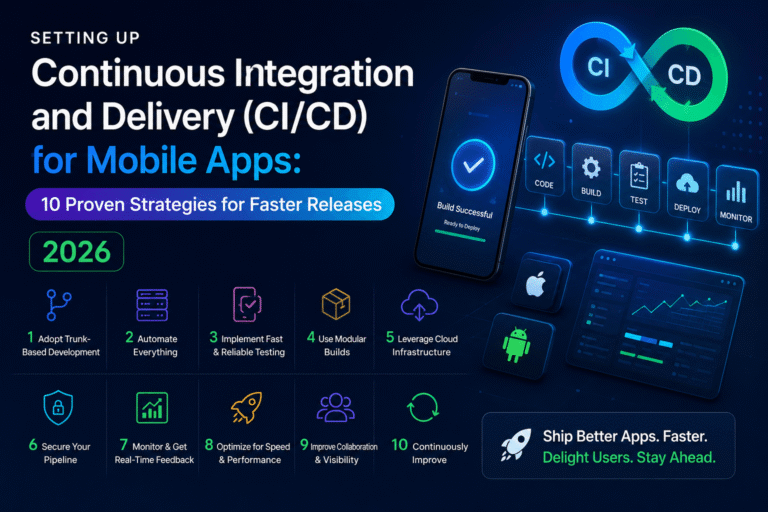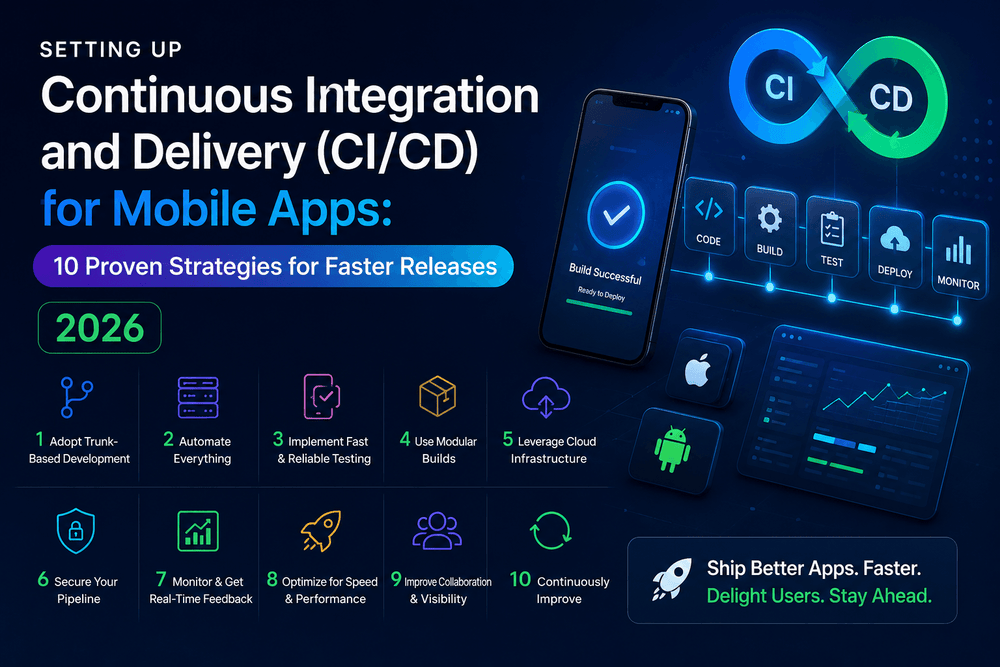
Setting Up Continuous Integration and Delivery (CICD) for Mobile Apps 10 Proven Strategies for Faster Releases 2026
Setting Up Continuous Integration and Delivery (CI/CD) for Mobile Apps
Setting Up Continuous Integration and Delivery (CI/CD) for Mobile Apps can dramatically improve the way development teams build, test, and release iOS and Android applications.
Mobile development often involves frequent code changes, multiple environments, platform-specific builds, signing credentials, automated tests, and carefully controlled releases. When these tasks are performed manually, small mistakes can quickly become expensive.
A well-designed CI/CD pipeline automates repetitive work while giving developers faster feedback.
Instead of manually building an application, running tests, creating artifacts, and preparing every release, a CI/CD system can perform many of these steps automatically whenever code changes are pushed to a repository.
The result is a more predictable development process, faster iteration, and fewer avoidable release errors.
In this guide, we will explain Setting Up Continuous Integration and Delivery (CI/CD) for Mobile Apps, from choosing a workflow and configuring automated builds to testing, signing, deployment, security, and monitoring.
What Is CI/CD for Mobile Apps?
CI/CD stands for Continuous Integration and Continuous Delivery or Continuous Deployment.
Continuous Integration focuses on automatically validating code changes as they are introduced into a shared codebase.
A typical CI workflow might:
- Detect a new commit.
- Install dependencies.
- Run static checks.
- Compile the application.
- Run automated tests.
- Generate a build artifact.
- Report the results.
Continuous Delivery extends the process by preparing validated builds for distribution.
Depending on the project, a pipeline may automatically deliver builds to:
- Internal testers
- TestFlight
- Google Play testing tracks
- A staging environment
- Production
Continuous Deployment goes one step further by automatically releasing approved changes to the intended environment.
For mobile applications, however, deployment often requires additional platform-specific controls because iOS and Android have different signing, packaging, store, and release requirements.
That is why Setting Up Continuous Integration and Delivery (CI/CD) for Mobile Apps requires more planning than simply connecting a Git repository to a build server.
Why Mobile Apps Need CI/CD
Manual mobile releases can become complicated very quickly.
Imagine a team that releases an application every two weeks.
Developers might need to:
- Pull the latest code.
- Install dependencies.
- Update version information.
- Build iOS.
- Build Android.
- Run tests.
- Sign the applications.
- Upload artifacts.
- Send a beta build to testers.
- Prepare release notes.
- Submit the production version.
Repeating these steps manually increases the possibility of human error.
A CI/CD pipeline turns many of these repetitive activities into automated workflows.
The benefits include:
Faster feedback
Developers discover compilation and test failures shortly after pushing code.
Consistent builds
The same automated process can be used repeatedly.
Fewer manual mistakes
Credentials, build commands, and distribution steps can be standardized.
Faster releases
Teams can spend less time preparing builds and more time improving the product.
Better visibility
A pipeline provides a record of which commit produced a particular build.
Setting Up Continuous Integration and Delivery for Mobile Apps
The exact implementation depends on the technology stack.
A native iOS application may use Xcode and Swift.
An Android application may use Android Studio and Gradle.
Cross-platform applications may use frameworks such as:
- React Native
- Flutter
- .NET MAUI
- Kotlin Multiplatform
Regardless of the framework, the underlying CI/CD principles remain similar.
A strong mobile pipeline can be represented as:
Code → Build → Test → Validate → Sign → Distribute → Monitor
Each stage should have a clear purpose.
1. Choose the Right CI/CD Platform
The first practical decision is selecting a CI/CD service.
Popular options include:
- GitHub Actions
- GitLab CI/CD
- Bitrise
- CircleCI
- Codemagic
- Azure Pipelines
- Other cloud-based automation platforms
The best choice depends on your repository, framework, team size, budget, and platform requirements.
For example, teams already using GitHub may prefer GitHub Actions because workflows can live alongside the source code.
Mobile-focused platforms may provide specialized features for signing, iOS builds, Android builds, and app-store distribution.
When comparing platforms, consider:
- macOS build availability for iOS
- Android build support
- Build minutes
- Caching
- Secret management
- Parallel jobs
- Artifact storage
- Test integrations
- App Store distribution
- Google Play distribution
- Team permissions
- Logging
For iOS development, access to macOS build infrastructure is particularly important because Apple’s development toolchain requires Apple hardware or compatible hosted infrastructure.
2. Create a Reliable Build Pipeline
A good pipeline should be predictable.
Start with the simplest useful workflow.
For example:
Pull Request → Install Dependencies → Lint → Test → Build
After that works reliably, add additional stages.
A basic mobile CI pipeline might look like this:
Developer pushes code
        ↓
CI starts
        ↓
Install dependencies
        ↓
Run linting
        ↓
Run unit tests
        ↓
Build application
        ↓
Generate artifact
        ↓
Publish result
Do not automate every possible operation on the first day.
Start small.
Once the foundation is stable, gradually add distribution, integration tests, security checks, and release automation.
This makes troubleshooting considerably easier.
3. Automate Mobile App Testing
Automated testing is one of the most valuable components of CI/CD.
A build that compiles successfully is not necessarily a working application.
Your pipeline can include several types of tests.
Unit tests
Unit tests verify individual functions or components.
They are usually fast and should run frequently.
Integration tests
Integration tests verify that multiple parts of the application work together.
For example, you might test authentication, API communication, and database interaction.
UI tests
UI tests simulate user interaction with the application.
They can validate workflows such as:
Launch → Login → Open Dashboard → Complete Task
Static analysis
Static-analysis tools can identify issues before the application is executed.
These checks may include:
- Code style
- Type errors
- Security warnings
- Unused code
- Dependency problems
A useful strategy is to keep fast tests early in the pipeline and slower tests later.
This provides rapid feedback without sacrificing deeper validation.
4. Manage iOS and Android Code Signing
Code signing is one of the most important differences between ordinary software CI and mobile CI/CD.
iOS applications require appropriate Apple signing certificates and provisioning profiles.
Android applications also use signing keys for release builds.
These credentials must be handled carefully.
Never place private signing credentials directly inside your public repository.
Instead, use encrypted CI/CD secrets or a dedicated credential-management system.
A secure workflow might look like:
Encrypted Secret Store
        ↓
CI/CD Runner
        ↓
Temporary Build Environment
        ↓
Signed Application
        ↓
Artifact / Distribution
The signing material should be accessible only to the workflows and people who actually need it.
Also maintain a documented recovery process.
Losing important signing credentials can create serious release-management problems.
5. Secure Secrets and Credentials
CI/CD systems frequently need sensitive information.
Examples include:
- API keys
- Signing credentials
- Keystore passwords
- App Store credentials
- Google Play service-account credentials
- Deployment tokens
- Database credentials
These values should never be hard-coded into application source code or committed to Git.
Use your CI platform’s encrypted secret mechanism whenever possible.
Also follow the principle of least privilege.
If a workflow only needs permission to upload a beta build, it should not automatically have unrestricted access to every production resource.
Separate credentials by environment where practical.
For example:
Development credentials
→ Development services
Staging credentials
→ Staging services
Production credentials
→ Production services
This separation reduces the impact of an accidental exposure.
6. Automate Beta Distribution
Once builds and tests are reliable, the next step is automating beta delivery.
For iOS, CI/CD systems can be configured to distribute builds through TestFlight.
For Android, builds can be distributed through Google Play testing tracks.
This is especially useful for teams that release frequent beta builds.
A typical workflow might be:
Merge to develop
      ↓
Run tests
      ↓
Build
      ↓
Sign
      ↓
Upload beta
      ↓
Notify testers
This can significantly reduce the time between a code change and tester feedback.
It also creates a repeatable process.
Instead of asking a developer to remember every release step, the pipeline performs them consistently.
7. Create Staging and Production Environments
Do not connect every automated build directly to production services.
A better architecture separates environments.
Development
Used for active development.
Staging
Used for integration testing and beta releases.
Production
Used by real customers.
Each environment should have appropriate configuration.
For example:
Development App
      ↓
Development API

Beta App
      ↓
Staging API

Production App
      ↓
Production API
This separation makes testing safer.
A developer can experiment with staging without accidentally modifying production data.
Environment-specific configuration can also be injected during the CI/CD build process.
8. Add Quality Gates
Automation becomes more valuable when it can stop a bad build.
Quality gates define conditions that must be satisfied before the pipeline moves forward.
Examples include:
- Unit tests must pass.
- Linting must pass.
- Build must succeed.
- Critical security checks must pass.
- Required code review must be completed.
- Test coverage must meet a defined threshold.
- Release approval must be granted.
For example:
Pull Request
     ↓
Unit Tests ── FAIL → Stop
     ↓ PASS
Lint ──────── FAIL → Stop
     ↓ PASS
Build ─────── FAIL → Stop
     ↓ PASS
Release
This is an important CI/CD principle.
Automation should not simply make releases faster.
It should make them safer.
9. Manage Version Numbers Automatically
Mobile applications require careful version management.
A CI/CD pipeline can help reduce mistakes by generating build numbers automatically.
For example:
Marketing Version: 2.4.0
Build Number: 184
The marketing version communicates the release version to users.
The build number identifies a specific compiled build.
Automating build-number increments can prevent developers from accidentally uploading duplicate builds.
However, the exact versioning strategy should match the platform and team’s release process.
Document the rules clearly.
10. Store Build Artifacts
A successful CI/CD pipeline should produce traceable artifacts.
Depending on the platform, artifacts may include:
- Android App Bundle
- APK for testing
- iOS archive
- Test reports
- Logs
- Code-coverage reports
- Debug symbols
Artifact retention is valuable when investigating problems.
Suppose production version 4.2.1 has an unexpected issue.
If the team can identify exactly which commit and build produced it, troubleshooting becomes much easier.
This creates a useful chain:
Commit → Pipeline Run → Build → Release
Traceability is one of the biggest advantages of automation.
Monitoring and Improving the CI/CD Pipeline
A CI/CD pipeline should itself be monitored.
Useful metrics include:
Build success rate
How frequently do builds complete successfully?
Average build time
How long does a typical pipeline take?
Failure frequency
Which stages fail most often?
Test duration
Are automated tests becoming unnecessarily slow?
Deployment frequency
How often can the team safely release?
Mean time to recovery
How quickly can the team fix a failed release pipeline?
These measurements can reveal bottlenecks.
For example, if a pipeline takes 30 minutes because dependencies are downloaded from scratch every time, caching could significantly improve performance.
Common CI/CD Mistakes for Mobile Apps
Mistake 1: Storing secrets in Git
This creates unnecessary security risk.
Use encrypted secret storage instead.
Mistake 2: Building only after merging
Running CI on pull requests provides earlier feedback.
Mistake 3: Skipping automated tests
A successful build does not prove that the application works correctly.
Mistake 4: Giving CI excessive permissions
Use least-privilege credentials.
Mistake 5: Mixing staging and production configuration
Keep environments separated.
Mistake 6: Making the pipeline too complicated
Start with a simple workflow and expand gradually.
Mistake 7: Ignoring build performance
Slow pipelines reduce developer productivity.
Mistake 8: No rollback strategy
Teams should know what to do if a release introduces a serious problem.
Best Practices for Setting Up Continuous Integration and Delivery (CI/CD) for Mobile Apps
When Setting Up Continuous Integration and Delivery (CI/CD) for Mobile Apps, keep the following principles in mind:
Start with pull-request validation
Every significant code change should pass basic automated checks before merging.
Keep pipelines reproducible
A given commit should produce a predictable build.
Separate environments
Development, staging, and production should not share unrestricted credentials.
Protect signing credentials
Treat certificates, provisioning profiles, and Android keystores as sensitive assets.
Automate repetitive work
Builds, tests, versioning, artifact creation, and beta distribution are strong candidates for automation.
Keep humans involved in important decisions
Not every production release should necessarily be completely automatic.
For critical applications, a manual approval step before production deployment can provide an additional safety layer.
Document the process
A pipeline that only one developer understands is a future maintenance problem.
Document:
- How builds work
- Where secrets are stored
- How releases are triggered
- How to recover signing credentials
- How to roll back
- Who can approve production releases
Recommended CI/CD Workflow for a Mobile Project
A practical workflow for many teams can look like this:
Developer creates branch
          ↓
Pull Request
          ↓
Lint + Static Analysis
          ↓
Unit Tests
          ↓
Build
          ↓
Integration Tests
          ↓
Code Review
          ↓
Merge
          ↓
Staging Build
          ↓
Beta Distribution
          ↓
Tester Feedback
          ↓
Release Candidate
          ↓
Production Approval
          ↓
App Store / Google Play Release
          ↓
Monitoring
This structure provides a balance between automation and human oversight.
It also creates clear checkpoints.
Final Mobile CI/CD Checklist
- Choose a CI/CD platform.
- Connect the source-code repository.
- Configure automated builds.
- Add linting and static analysis.
- Add unit tests.
- Add integration or UI tests where appropriate.
- Configure iOS build infrastructure.
- Configure Android build infrastructure.
- Protect signing credentials.
- Store secrets securely.
- Separate development, staging, and production environments.
- Automate build numbering.
- Generate and retain build artifacts.
- Configure beta distribution.
- Add quality gates.
- Configure notifications.
- Monitor pipeline performance.
- Document the release workflow.
- Establish a rollback strategy.
- Review production deployments before release.
Image and Media Suggestions
Featured Image
Concept: A modern mobile CI/CD pipeline showing source code flowing through automated testing, iOS and Android builds, security checks, TestFlight, Google Play, and production deployment.
Alt Text: Setting Up Continuous Integration and Delivery CI CD for Mobile Apps
Supporting Image
Concept: A side-by-side workflow comparing automated iOS and Android build pipelines.
Alt Text: Mobile CI CD pipeline for iOS and Android app development
Video Suggestion
A practical screen-recording video could demonstrate how a commit triggers automated testing, generates an Android or iOS build, and sends the resulting application to a beta testing environment.
The video should focus on the actual workflow rather than simply describing CI/CD concepts.
Internal Linking Strategy
For stronger internal SEO, connect this article to other relevant mobile-development content on your website.
Suggested anchor texts include:
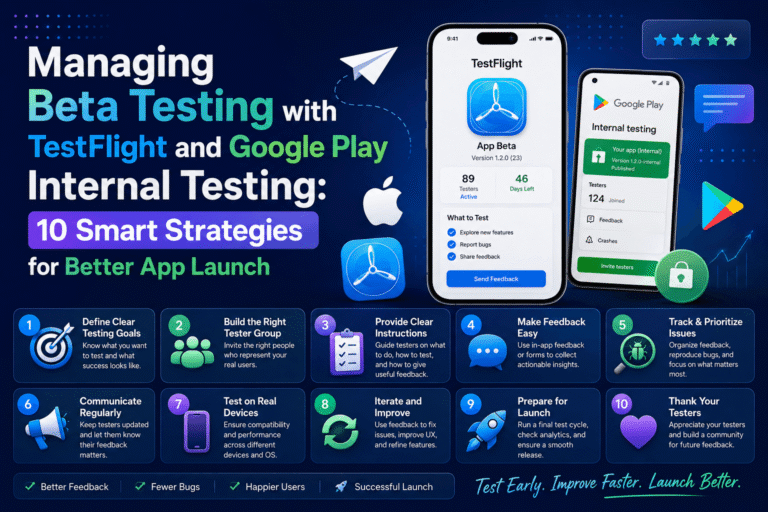
- Managing Beta Testing with TestFlight and Google Play Internal Testing
- Setting Up Push Notifications for iOS and Android in React Native
- React Native Performance Optimization
- How to Secure User Data and Store Credentials Safely on Android
- Building Your First React Native App with Expo
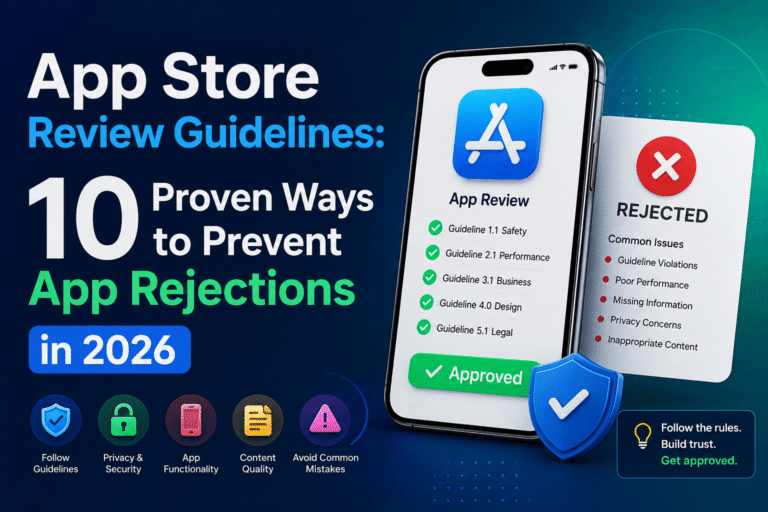
- App Store Review Guidelines
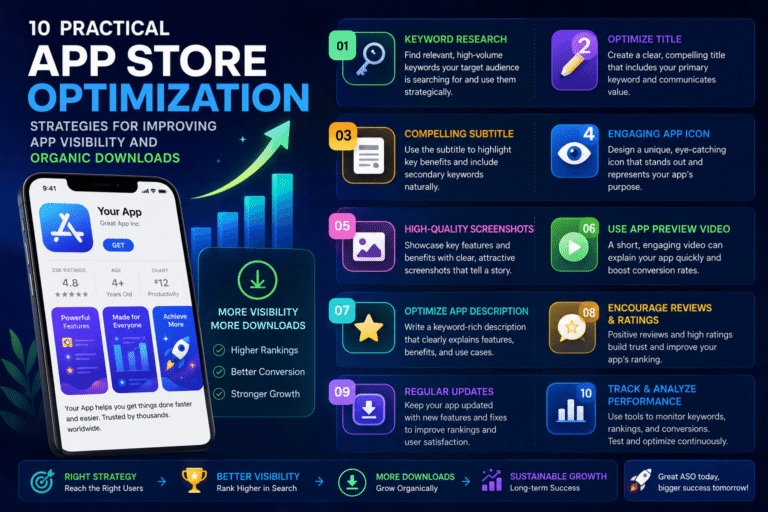
- App Store Optimization Strategies
Use descriptive anchor text and link only to pages that are genuinely relevant.
Avoid creating multiple pages that target exactly the same primary keyword.
Trusted Official Sources
For accurate implementation details, developers should consult official documentation from the platforms and tools they use.
GitHub Actions: GitHub’s official documentation explains how workflows automate software development processes, including builds and tests.
GitHub Actions Documentation
Apple Developer: Apple’s developer documentation provides official information about Xcode, code signing, distribution, App Store Connect, and TestFlight.
Apple Developer Documentation
Google Play Console: Google’s official documentation covers Android app publishing, testing tracks, releases, and Play Console workflows.
Google Play Console Help
Android Developers: Google’s Android documentation provides technical information about building, testing, signing, and distributing Android applications.
Android Developers
These first-party resources should be checked regularly because CI/CD tools, platform requirements, and app-store policies can change.
Conclusion
Setting Up Continuous Integration and Delivery (CI/CD) for Mobile Apps is no longer just a strategy for large engineering organizations.
Small teams and individual developers can also benefit from automated builds, testing, secure credential management, beta distribution, and controlled releases.
The key is to start with a simple pipeline.
Automate the repetitive tasks first. Then introduce more advanced capabilities such as integration testing, artifact management, automated beta distribution, quality gates, environment separation, and production approvals.
A strong mobile CI/CD pipeline should make development faster without making releases less safe.
The ideal workflow is not necessarily the one with the most automation.
It is the one that gives developers fast feedback, protects sensitive credentials, produces reliable builds, and creates enough control around production releases.
When implemented thoughtfully, CI/CD transforms mobile development from a manual sequence of repetitive tasks into a predictable engineering process.
That means fewer avoidable mistakes, faster feedback, more consistent releases, and more time for developers to focus on building better mobile experiences.
About The Author